 gunnchOS
Thursday Open Technology Lab · Week 6
How Does AI Actually Produce an Answer?
Ask · Learn · Build
Follow a question through tokens, context, learned patterns, and a generated response. Explore training versus inference, try a prediction game on paper, and learn how to check important claims.
Session date: . A free, self-guided lesson for every experience level. Allow 15–20 minutes for the core lesson, or start with the five-minute prediction game. Paper and pencil are enough. No AI account, computer, registration, payment, or prior experience is required.
This week's replay
The permanent archive is on YouTube. Twitch remains the original live recording.
Captions and a transcript belong with the permanent archive. After you load the Twitch replay, use the player's own caption controls. This page does not block the lesson if Twitch is unavailable.
The original 34-slide lecture
The complete lecture explains language models, tokens, context, training and inference, prediction, and verification. It includes paper activities, worked answers, a library design challenge, optional deeper paths, and learning checks. Download the original, unmodified PDF and editable PowerPoint in their original order.
PDF: 815,539 bytes · PowerPoint: 149,207 bytes. The eight-image recap is a separate resource. Original artwork retains its supplied series wording.
Instagram carousel · eight-slide recap
Browse the original recap images at your own pace. The full 34-page lecture is a separate resource.
Swipe left or right on the image. With the carousel focused, use Left and Right arrows, Home, or End. Previous, next, and numbered buttons also work.
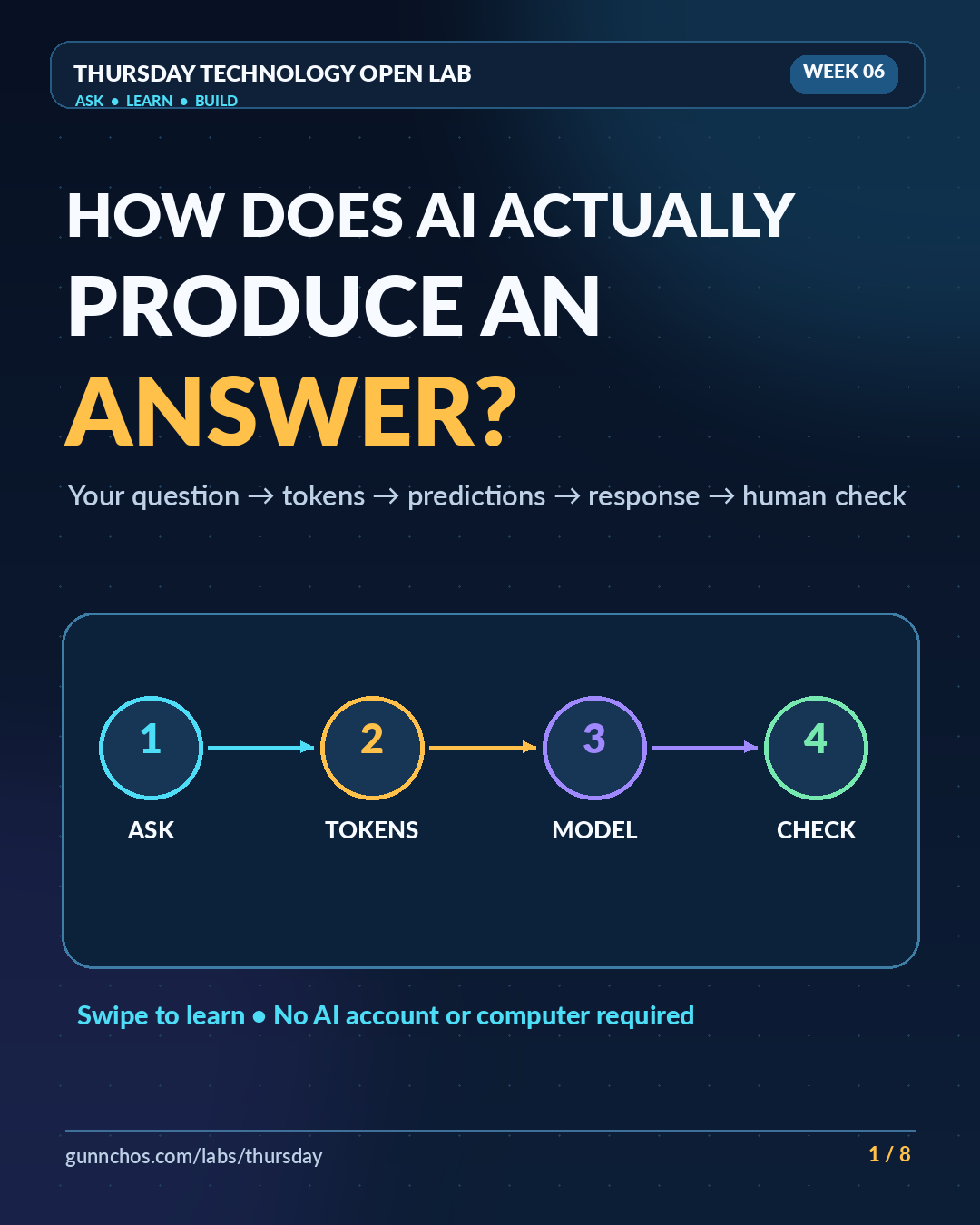
From a question to an answer
You ask for an explanation of a rainbow, and a fluent answer appears. How did the system process the question, why did those words appear, and how would you know whether they were right? Weeks 1–5 mapped systems, taps, performance, devices, and networks. Week 6 examines a generative language model within that larger system.
- Your question
- Tokenized model input
- Model computation and token prediction
- Generated response
- Human check
AI, machine learning, and language models
Artificial intelligence is a broad field that includes prediction, classification, planning, perception, and generation. Many machine-learning systems learn statistical patterns from data. Generative AI produces content such as text, images, audio, or code. This lesson focuses on generative language models, which estimate likely next tokens in their context.
Tokens and context
Tokens can be words, parts of words, punctuation, or other pieces of text. The lecture illustrates “A sunflower grows toward the light.” using A / sun / flower / grows / toward / the / light. These are teaching examples; actual token boundaries depend on the tokenizer. The shorter illustration on carousel card 3 omits two words and is not a complete literal tokenization.
Context changes what seems plausible. “The student brought a ____ to class” allows many continuations; adding “because today they measured angles” makes a protractor more plausible. Misleading context can also change a prediction.
Predictions, parameters, attention, and sampling
Learned parameters, often called weights, are numbers adjusted during training. They help transform input patterns into output probabilities. They are not a neatly organized encyclopedia; the amount of memorization or reproduction varies, and a reply need not be a database lookup.
For common autoregressive text models, each new token becomes part of the context for the next. Transformer-based models can use attention mechanisms to relate parts of the input. These mechanisms can help use relevant context, but they do not make every interpretation correct.
A system might choose the highest-scoring continuation or sample among candidates. Model design and settings affect diversity and repeatability. A score about likely language is not proof that a factual claim is true.
Training and inference
Training: examples → predictions → evaluated error or feedback → adjusted parameters, repeated many times. Training stages and model families can use different objectives.
Ordinary inference: a prompt → computation using learned parameters → generated tokens → a response. A normal user prompt does not mean the base model retrains itself on the spot.
The model and the whole product
An AI product may surround a model with an interface, retrieval, authorized search or calculators, filters, and human review. A response without retrieval may use learned patterns without a fresh source lookup. Tools can supply information or calculations, but their results still need interpretation and checking.
System design also needs to consider privacy, permissions, source freshness, latency, cost, and human review.
A toy prediction is not a measured model result
Complete “The ice cream melted because the day was ____.” The lecture gives these invented scores to illustrate a distribution, not to report an experiment with a real model.
| Continuation | Toy score |
|---|---|
| Hot | 65% |
| Warm | 23% |
| Blue | 8% |
| Other | 4% |
A high score means likely in this illustrative context. It does not mean proven true.
Fluent does not mean factual
A convincing response can invent a name, date, citation, calculation, or explanation; information can also be outdated, incomplete, or based on a misunderstood question. Check important claims using an independent reliable source, a reproducible calculation, or a measurement. Open citations and check what they actually support.
State a goal and audience, provide useful context and limits, verify important facts, and protect private information. Do not paste passwords, grades, medical details, personal files, or identifying records into an optional exercise.
A five-minute prediction game
Paper and pencil count as full participation. You can stop after comparing two guesses, or continue through the full paper lab, prompt card, and checking exercise.
- Write The workshop begins at ____. Supply two plausible endings and explain the clues you used. No actual start time has been given.
- Add the context The flyer says the workshop begins at six. Explain whether your continuation changes and why. Decide what you would still check about a real event.
- Use ten invented completions: SIX appears five times, FIVE three times, NOON once, and HOME once. Calculate each percentage and identify the most frequent answer.
- Write a useful request containing goal, audience, context, limits, and a check. Underline a claim in the expected response that could be verified.
- Separate a plausible guess from a verified claim. For a real workshop, check a current official announcement or the organizer rather than treating the toy counts as evidence.
Reveal the toy-count answer key
These ten completions are fabricated arithmetic examples, not a model’s output or evidence of an actual event time.
| Completion | Count | Percentage |
|---|---|---|
| Six | 5 / 10 | 50% |
| Five | 3 / 10 | 30% |
| Noon | 1 / 10 | 10% |
| Home | 1 / 10 | 10% |
Six is most frequent at 50%, followed by five at 30%, noon at 10%, and home at 10%. These counts cannot establish the real start time. Check a current official announcement or the organizer.
Success check: Explain how added context changed a guess, calculate the four percentages, and distinguish plausible language from a verified claim. Context can contain evidence or misinformation.
Optional phone path: If permitted and you choose to use a service, compare explanations of Wi-Fi versus internet access for a ten-year-old and for a college audience. Notice changes in wording, examples, and facts, then verify a specific claim against a networking reference. With no tool, write how you would adapt the explanation yourself.
Write a useful prompt card
- Goal
- What should the system do?
- Audience
- Who will use or read it?
- Context
- What information can be used?
- Limits
- What should it avoid?
- Check
- How should facts and uncertainty be handled?
For example: “Teach a curious adult how Wi-Fi differs from internet access. Use plain language, a 5-box paper activity, and one self-check question. Do not request personal details or router passwords. Identify claims that should be checked against a trustworthy networking reference.”
Write one or two sentences using all five parts. Underline a claim you could check. Clearer instructions can improve relevance, but do not guarantee correctness.
Decide what needs checking
Classify each request: invent three names for a fictional robot; confirm a scholarship deadline; assess whether a medication is safe with a prescription; offer a metaphor for RAM.
Reveal the checking exercise’s explanations
Fictional names are creative suggestions. A RAM metaphor is a teaching aid, but still check that it is not misleading. Verify a scholarship deadline on the scholarship’s official site. Medication safety requires a qualified health professional and authoritative drug information. The consequences of being wrong determine the strength of verification needed.
Choose your lane
Each lane is a depth you can choose. None of them is worth more than the others. You can participate without a computer. A paper drawing is valid. A phone photo can be used later, when submissions open.
Explorer
Explain the journey from a question to an answer.
Week 6
- Draw question → tokens → model computation → response → human check.
- Explain a token and distinguish plausible language from a verified claim.
- Use paper for the prediction game and write one question you still have.
Builder
Write a useful prompt and a way to evaluate it.
Week 6
- Complete the paper prediction activity and explain how added context changes a guess.
- Create a prompt card with goal, audience, context, limits, and check for a useful community task.
- Add a short evaluation checklist and name an official source or reproducible calculation for an important claim.
Engineer / Researcher
Investigate model behavior and system reliability.
Week 6
- Compare highest-scoring selection with sampling, and consider diversity and repeatability.
- Design a small set of prompts with known answers; track correctness, citation validity, consistency, and failures.
- Consider retrieval, freshness, caching, permissions, privacy, latency, cost, and human review. Keep identifying records and credentials out of the test set.
This is an educational depth lane, not enrollment in human-subjects research.
Design an assistant for a public library
Draw five boxes: User → Interface → Model → Trusted sources → Human check. Aim to help visitors find public learning resources and understand technology concepts, with accessible language, paper alternatives, and human support.
Keep private patron records out by default. Do not invent opening hours or policies. Cite current official sources and offer a staff handoff when unsure. Add an evaluation checklist and, for a deeper investigation, a small set of prompts with known answers. Track correctness, citation validity, consistency, and failure cases; consider freshness, permissions, privacy, latency, and cost.
Check your understanding
- Is every artificial-intelligence system a text chatbot?
- What is a token in a language model?
- Does a fluent answer prove the claim is true?
- How is training different from ordinary inference?
Reveal the lecture’s explanations
- No. AI also includes classification, recommendation, perception, and more.
- A piece of text, for example a word, part of a word, or symbol. Actual boundaries depend on the tokenizer.
- No. Plausibility is not proof. Verify important facts and citations.
- Training adjusts parameters; inference generates responses using the available model and learned parameters.
Keep your drawing and prompt card yourself. This page collects no responses or files. Uploads remain closed; participation does not enroll you in research.
All 34 slides as text
Read the original PowerPoint text in slide order. The original PDF preserves the visual layout. The tables and lesson above also describe the illustrated examples.
Slide 1: HOW DOES AI ACTUALLY PRODUCE AN ANSWER?
THURSDAY TECHNOLOGY OPEN LAB / WEEK 06 / START HERE
HOW DOES AI ACTUALLY PRODUCE AN ANSWER?
From your words to tokens, patterns, predictions, and a response — with you in charge of checking it.
ASK • LEARN • BUILD | NOV 5, 2026
01
YOUR QUESTION
→
MODEL INPUT
→
TOKEN PREDICTION
→
RESPONSE
→
HUMAN CHECK
You do NOT need an AI account
Paper and pencil are enough for every core challenge.
Useful for any experience level
Explorer • Builder • Engineer / Researcher
Public, self-guided lesson • 15–20 min core • activities + optional deeper path
Slide 2: How to use this public lesson
THURSDAY TECHNOLOGY OPEN LAB / WEEK 06 / LEARNING PATHS
How to use this public lesson
Choose your depth. Complete the lesson alone, in a group, or while watching the replay.
ASK • LEARN • BUILD | NOV 5, 2026
02
EXPLORER
Understand the big idea.
Use familiar examples.
Explain it in your own words.
BUILDER
Try the paper lab.
Write a better prompt.
Design a simple test.
ENGINEER / RESEARCHER
Inspect probabilities, sampling, context, evaluation, and reliability.
STOP / DRAW / TEST whenever you see a challenge. A correct question is progress.
Slide 3: Six weeks, one connected story
THURSDAY TECHNOLOGY OPEN LAB / WEEK 06 / CONTEXT
Six weeks, one connected story
Every week increases the resolution of an everyday experience.
ASK • LEARN • BUILD | NOV 5, 2026
03
01
Technology is a system, not a screen
02
One tap: sensor → app → response
03
Why technology feels fast, slow, or unstable
04
What is inside a phone or computer
05
How information travels across networks
06
How AI produces an answer
Slide 4: A normal moment: ask a helpful question
THURSDAY TECHNOLOGY OPEN LAB / WEEK 06 / FAMILIAR MOMENT
A normal moment: ask a helpful question
“Explain why a rainbow appears, in language a ten-year-old could understand.”
ASK • LEARN • BUILD | NOV 5, 2026
04
WHAT YOU SEE
You type a question.
A moment later, the screen shows a fluent explanation.
WHAT WE WILL INVESTIGATE
How did the system process your text?
Why did those words appear?
How would you know if they were right?
Guiding question: does a well-written answer automatically mean a true answer?
Slide 5: AI is a broad family — not one single tool
THURSDAY TECHNOLOGY OPEN LAB / WEEK 06 / FUNDAMENTALS
AI is a broad family — not one single tool
This lesson focuses on generative language models, which produce text.
ASK • LEARN • BUILD | NOV 5, 2026
05
AI
Broad field: systems that recognize patterns, predict, plan, classify, or generate.
MACHINE LEARNING
Many AI systems learn statistical patterns from data instead of using only hand-written rules.
GENERATIVE AI
Produces content such as text, images, audio, or code. Language models are one example.
A spam filter and a chatbot may both involve AI, but they solve different kinds of problems.
Slide 6: Zoom in: a generative language model
THURSDAY TECHNOLOGY OPEN LAB / WEEK 06 / BIG IDEA
Zoom in: a generative language model
A language model estimates what tokens are likely to follow the tokens in its context.
ASK • LEARN • BUILD | NOV 5, 2026
06
PROMPT
→
TOKENIZED INPUT
→
MODEL COMPUTATION
→
OUTPUT TOKENS
→
READABLE TEXT
A powerful distinction
The model can generate plausible explanations without independently checking every factual claim. Some AI products add search, calculators, or other tools.
Slide 7: Step 1: the words become tokens
THURSDAY TECHNOLOGY OPEN LAB / WEEK 06 / MODEL INPUT
Step 1: the words become tokens
Tokens can be words, parts of words, punctuation, or other pieces of text.
ASK • LEARN • BUILD | NOV 5, 2026
07
“A sunflower grows toward the light.”
A
sun
flower
grows
toward
the
light.
ILLUSTRATION ONLY: real token boundaries depend on the tokenizer and may differ.
Slide 8: Try predicting the next word yourself
THURSDAY TECHNOLOGY OPEN LAB / WEEK 06 / PAPER LAB
Try predicting the next word yourself
Think like a simple language predictor for one sentence.
ASK • LEARN • BUILD | NOV 5, 2026
08
“The ice cream melted because the day was ____.”
A • HOT
Would this fit the sentence?
B • BLUE
Would this fit the sentence?
C • SILENT
Would this fit the sentence?
Pause. Choose a continuation and explain what clues in the sentence you used.
Slide 9: Context changes the continuation
THURSDAY TECHNOLOGY OPEN LAB / WEEK 06 / CONTEXT
Context changes the continuation
A useful prediction depends on what came before.
ASK • LEARN • BUILD | NOV 5, 2026
09
SHORT CONTEXT
“The student brought a ____ to class.”
Many objects could fit.
MORE CONTEXT
“The student brought a ____ to class because today they measured angles.”
A protractor becomes more plausible.
What extra information changed your guess? How might misleading context change it?
Slide 10: Not one guaranteed answer: a distribution
THURSDAY TECHNOLOGY OPEN LAB / WEEK 06 / PREDICTION
Not one guaranteed answer: a distribution
Illustrative toy scores, NOT measurements from a real model.
ASK • LEARN • BUILD | NOV 5, 2026
10
HOT
65%
WARM
23%
BLUE
8%
OTHER
4%
A system could select the highest-scored option or sample among options; settings and model design matter.
Slide 11: Training and answering are different activities
THURSDAY TECHNOLOGY OPEN LAB / WEEK 06 / TRAINING VS USE
Training and answering are different activities
During training, parameters are updated; during ordinary inference, the model uses learned parameters.
ASK • LEARN • BUILD | NOV 5, 2026
11
TRAINING • LEARNING PATTERNS
Examples / data → model predicts → error or feedback is evaluated → parameters adjusted (many repeats).
INFERENCE • PRODUCING AN ANSWER
Your prompt → model computation using learned parameters → generated tokens → displayed response.
A normal user prompt does not mean the base model retrains itself on the spot.
Slide 12: A simplified training loop
THURSDAY TECHNOLOGY OPEN LAB / WEEK 06 / TRAINING
A simplified training loop
A prediction is compared with training feedback, and parameters are adjusted.
ASK • LEARN • BUILD | NOV 5, 2026
12
TRAINING EXAMPLE
→
PREDICTION
→
COMPARE / LOSS
→
UPDATE WEIGHTS
Repeat across many examples and iterations.
Different model families and training stages use different objectives.
The arrows are a teaching simplification, not a complete model-training recipe.
Slide 13: What is stored in the model?
THURSDAY TECHNOLOGY OPEN LAB / WEEK 06 / PARAMETERS
What is stored in the model?
Learned parameters help transform input patterns into output probabilities.
ASK • LEARN • BUILD | NOV 5, 2026
13
PARAMETERS / “WEIGHTS”
Numbers adjusted during training that shape the model’s behavior. They are not a neatly organized encyclopedia.
TRAINING DATA
Text and other data help establish patterns. How much is memorized or reproduced varies; avoid assuming every reply is a database lookup.
A model may reproduce a known fact, infer something new, or generate a convincing error.
Slide 14: A response unfolds one step at a time
THURSDAY TECHNOLOGY OPEN LAB / WEEK 06 / GENERATION
A response unfolds one step at a time
For common autoregressive text models, each new token becomes part of the context for the next.
ASK • LEARN • BUILD | NOV 5, 2026
14
PROMPT
“A rainbow has”
NEXT TOKEN
“many”
NEXT TOKEN
“colors”
FINISH
“.”
This is an illustrative sequence, not the exact token boundaries or output of any real system.
Slide 15: Context helps the model connect words
THURSDAY TECHNOLOGY OPEN LAB / WEEK 06 / DEEPER VIEW
Context helps the model connect words
Transformer-based models can use attention mechanisms to relate different parts of the input.
ASK • LEARN • BUILD | NOV 5, 2026
15
“Maya gave Jordan the map because Jordan was lost.”
MAYA
GAVE
JORDAN
MAP
JORDAN
LOST
Attention can help the model use relevant context. It does not make every interpretation correct.
Slide 16: The MODEL is not the whole AI PRODUCT
THURSDAY TECHNOLOGY OPEN LAB / WEEK 06 / SYSTEMS VIEW
The MODEL is not the whole AI PRODUCT
Tools, retrieval, filters, interfaces, and human review may surround the model.
ASK • LEARN • BUILD | NOV 5, 2026
16
USER
→
APP / PROMPT
→
MODEL
→
OPTIONAL TOOLS
→
ANSWER / CHECK
WITHOUT RETRIEVAL
A generated response may use learned patterns but no fresh source lookup.
WITH AUTHORIZED TOOLS
The application may search, calculate, or read permitted data. Results still need interpretation.
Slide 17: Why can an AI answer sound right but be wrong?
THURSDAY TECHNOLOGY OPEN LAB / WEEK 06 / TRUST
Why can an AI answer sound right but be wrong?
Fluent language is not the same thing as verification.
ASK • LEARN • BUILD | NOV 5, 2026
17
PLAUSIBLE GENERATION
Model output can resemble a well-formed answer even when a name, date, citation, calculation, or explanation is incorrect.
CHECKABLE EVIDENCE
An independent reliable source, reproducible calculation, measurement, or trustworthy reference can support a claim.
NIST calls convincingly false generated content “confabulation” (often called hallucination).
Slide 18: Four habits that make AI more useful
THURSDAY TECHNOLOGY OPEN LAB / WEEK 06 / RESPONSIBLE USE
Four habits that make AI more useful
Don’t ask only “Does this sound good?” Ask “Can I check it?”
ASK • LEARN • BUILD | NOV 5, 2026
18
1 DEFINE THE GOAL
Who is this for? What kind of answer do you need?
2 GIVE CONTEXT
Specify background, limits, format, and what to avoid.
3 VERIFY IMPORTANT CLAIMS
Check facts, citations, computations, and sensitive advice.
4 PROTECT PRIVATE DATA
Do not paste passwords, grades, medical details, or identifiers.
Slide 19: Good prompting is clear communication
THURSDAY TECHNOLOGY OPEN LAB / WEEK 06 / PROMPTING
Good prompting is clear communication
A useful prompt often contains five parts.
ASK • LEARN • BUILD | NOV 5, 2026
19
GOAL
What do you want?
AUDIENCE
Who will use it?
CONTEXT
What must it know?
LIMITS
What should it avoid?
CHECK
How should uncertainty be handled?
Better instructions may improve relevance, but cannot guarantee correctness.
Slide 20: One request, two different prompts
THURSDAY TECHNOLOGY OPEN LAB / WEEK 06 / WORKED EXAMPLE
One request, two different prompts
Make the audience and constraints visible.
ASK • LEARN • BUILD | NOV 5, 2026
20
VAGUE PROMPT
“Explain fractions.”
A valid starting point, but it leaves the level, output, examples, and purpose unclear.
CLEARER PROMPT
“Explain equivalent fractions to an adult beginner in 5 short steps. Use a pizza drawing idea, one practice question, and an answer key. Flag anything uncertain.”
Pause: Which request is easier to evaluate? Why?
Slide 21: Your turn: become the language model
THURSDAY TECHNOLOGY OPEN LAB / WEEK 06 / ACTIVITY A
Your turn: become the language model
Use this paper activity with no phone or computer.
ASK • LEARN • BUILD | NOV 5, 2026
21
STEP A — GUESS
Complete “The workshop begins at ____.”
Write TWO plausible endings and why each might fit.
No right time has been given.
STEP B — ADD CONTEXT
Now read: “The flyer says the workshop begins at six.”
Would your continuation change? Why?
What you expect is not what you have verified. Context can contain evidence or misinformation.
Slide 22: Toy “probabilities” from pretend examples
THURSDAY TECHNOLOGY OPEN LAB / WEEK 06 / ACTIVITY A
Toy “probabilities” from pretend examples
These are invented counts for practicing arithmetic — not a model’s output.
ASK • LEARN • BUILD | NOV 5, 2026
22
In a made-up set of 10 completions for “The workshop begins at ...”:
SIX
5 / 10
FIVE
3 / 10
NOON
1 / 10
HOME
1 / 10
CHALLENGE: Find each percentage. Which option is most frequent? Is it necessarily true?
Slide 23: Worked solution: likely is not verified
THURSDAY TECHNOLOGY OPEN LAB / WEEK 06 / ANSWER KEY
Worked solution: likely is not verified
Compare a best guess with a claim backed by a source.
ASK • LEARN • BUILD | NOV 5, 2026
23
TOY SCORES
SIX = 50%
FIVE = 30%
NOON = 10%
HOME = 10%
The most frequent is SIX.
WHAT IT DOES NOT PROVE
These fabricated counts cannot tell us the actual start time.
For a real event, check an official announcement or organizer.
General rule: a generated answer may be useful without being a source of truth.
Slide 24: Activity B: write a better AI request
THURSDAY TECHNOLOGY OPEN LAB / WEEK 06 / ACTIVITY B
Activity B: write a better AI request
Make a prompt someone else can understand and evaluate.
ASK • LEARN • BUILD | NOV 5, 2026
24
GOAL
What should the system do?
AUDIENCE
Who will read it?
CONTEXT
What information can be used?
LIMITS
What should it avoid?
CHECK
How should facts be verified?
Write one or two sentences using all five parts. Then underline what could be checked.
Slide 25: Example: a prompt for community learning
THURSDAY TECHNOLOGY OPEN LAB / WEEK 06 / WORKED SOLUTION
Example: a prompt for community learning
A strong example shows its audience, output, limits, and verification rule.
ASK • LEARN • BUILD | NOV 5, 2026
25
“Teach a curious adult how Wi-Fi differs from internet access. Use plain language, a 5-box paper activity, and one self-check question. Do not request personal details or router passwords. Identify claims that should be checked against a trustworthy networking reference.”
The prompt is still a request — the learner must inspect the output and verify important facts.
Slide 26: Activity C: decide what needs checking
THURSDAY TECHNOLOGY OPEN LAB / WEEK 06 / ACTIVITY C
Activity C: decide what needs checking
Mark each item “check” or “low-risk idea.” Explain your choice.
ASK • LEARN • BUILD | NOV 5, 2026
26
A
“Invent three names for my fictional robot.”
B
“This scholarship deadline is tomorrow.”
C
“This medication is safe with your prescription.”
D
“Here is a metaphor for how RAM works.”
Why does the cost of being wrong matter?
Slide 27: Answer key: when accuracy matters
THURSDAY TECHNOLOGY OPEN LAB / WEEK 06 / ANSWER KEY
Answer key: when accuracy matters
The harder the consequences, the stronger the verification.
ASK • LEARN • BUILD | NOV 5, 2026
27
LOWER-RISK IDEAS
A: Fictional robot names are creative suggestions.
D: RAM metaphor is a teaching aid, but confirm it is not misleading.
VERIFY INDEPENDENTLY
B: Deadline — check the scholarship’s official site.
C: Medication safety — consult a qualified health professional and authoritative drug information.
A source link can be wrong or misrepresented. Open it and check the actual claim.
Slide 28: Optional PHONE experiment: compare responses
THURSDAY TECHNOLOGY OPEN LAB / WEEK 06 / PHONE OPTIONAL
Optional PHONE experiment: compare responses
No phone required. Only use a service if you are permitted to and choose to.
ASK • LEARN • BUILD | NOV 5, 2026
28
TRY A SAFE, NONPERSONAL TOPIC
Ask an AI tool to explain “Why can Wi-Fi show connected while the web is unavailable?”
Then request a 10-year-old explanation and a college-level explanation.
COMPARE / VERIFY
What changed: wording, examples, or facts?
Check a specific claim against a networking reference.
Do not provide personal files, passwords, grades, or identifying details.
If no tool is available, write how YOU would adjust an explanation for two audiences.
Slide 29: Engineer / researcher: go below the surface
THURSDAY TECHNOLOGY OPEN LAB / WEEK 06 / DEEP CUT
Engineer / researcher: go below the surface
Optional investigation of what changes output quality and reliability.
ASK • LEARN • BUILD | NOV 5, 2026
29
SAMPLING
Compare choosing the highest-scoring token with selecting among candidates. What changes diversity and repeatability?
EVALUATION
Design a set of prompts with known answers. Track correctness, citation validity, consistency, and failure cases.
SYSTEM DESIGN
Consider retrieval, freshness, caching, permissions, privacy, latency, cost, and human review.
Advanced challenge: what measurement would distinguish “sounds plausible” from “is correct”?
Slide 30: Design a useful AI assistant for a public library
THURSDAY TECHNOLOGY OPEN LAB / WEEK 06 / CAPSTONE
Design a useful AI assistant for a public library
What should it help with, and what must it never pretend to know?
ASK • LEARN • BUILD | NOV 5, 2026
30
COMMUNITY GOAL
Help visitors find public learning resources and understand technology concepts.
Accessible language. Paper alternatives. Human support when needed.
SAFETY + EVIDENCE
No private patron records by default.
Never invent opening hours or policies.
Cite current official sources.
Offer a staff handoff when unsure.
Create a 5-box system map: USER → INTERFACE → MODEL → TRUSTED SOURCES → HUMAN CHECK.
Slide 31: Four questions to check your understanding
THURSDAY TECHNOLOGY OPEN LAB / WEEK 06 / SELF CHECK
Four questions to check your understanding
Pause and answer before moving to the next slide.
ASK • LEARN • BUILD | NOV 5, 2026
31
1. Is every artificial-intelligence system a text chatbot?
2. What is a token in a language model?
3. Does a fluent answer prove the claim is true?
4. How is training different from ordinary inference?
Write your answer in one sentence. The next slide provides a model answer.
Slide 32: Answers: explain, then check
THURSDAY TECHNOLOGY OPEN LAB / WEEK 06 / SELF CHECK ANSWERS
Answers: explain, then check
Your wording can differ from these examples.
ASK • LEARN • BUILD | NOV 5, 2026
32
1 NO
AI also includes classification, recommendation, perception, and more.
2 A TOKEN
A piece of text (for example, a word, part of a word, or symbol).
3 NO
Plausibility is not proof. Verify important facts and citations.
4 TRAINING VS INFERENCE
Training adjusts parameters; inference generates responses using the available model.
If you can teach one idea back accurately, you have learned something useful.
Slide 33: From curious learner to responsible creator
THURSDAY TECHNOLOGY OPEN LAB / WEEK 06 / TAKE IT FURTHER
From curious learner to responsible creator
Every learning path can produce an artifact worth sharing.
ASK • LEARN • BUILD | NOV 5, 2026
33
EXPLORER
Draw how a question becomes an answer. Add a “verify facts” step.
Share a question you still have.
BUILDER
Create a prompt card and a simple evaluation checklist for a useful community task.
ENGINEER / RESEARCHER
Design a small, consent-respecting test set; measure factual errors and usability.
Keep learner information private. No identifying records or credentials in a shared artifact.
Slide 34: Where to go next
THURSDAY TECHNOLOGY OPEN LAB / WEEK 06 / RESOURCES
Where to go next
Free learning resources; no paid account or special device required for the paper activities.
ASK • LEARN • BUILD | NOV 5, 2026
34
THURSDAY OPEN LAB
gunnchOS3k
WAIKE LEARNING
github.com/gunnchOS3k/waike-research-ops
THE TECHNOLOGY LANDSCAPE
github.com/gunnchOS3k/gunnchos-technology-landscape
GOOGLE MACHINE LEARNING CRASH COURSE
developers.google.com/machine-learning/crash-course/llm
NIST GENERATIVE AI PROFILE
NEXT THURSDAY • NOV 12 • HOW DO HACKERS AND DEFENDERS THINK?
Keep exploring
Continue with Week 7 · November 12, 2026
How Do Hackers and Defenders Think? is now available with its replay, original lecture, printable activity, and carousel.